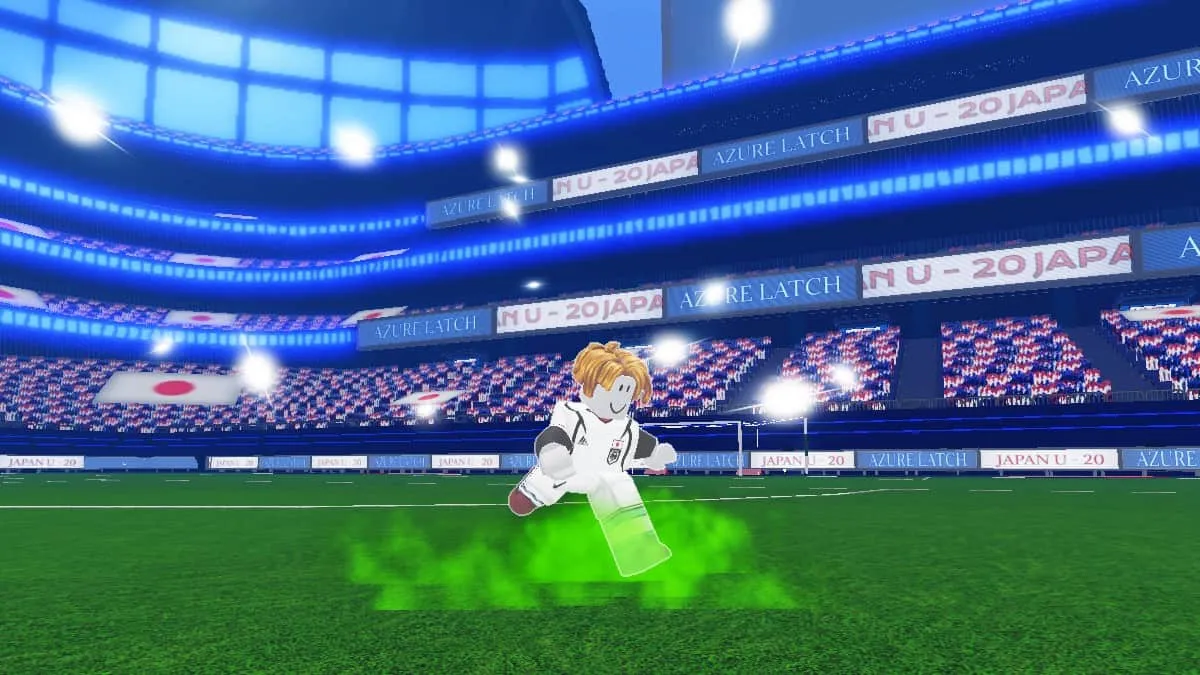
Azure Latch is a Roblox adaptation of the manga and anime series Blue Lock, centered around soccer players training for the Japanese national team under the Blue Lock training program. You can choose one of four positions on the team and join the game with up to three other players.Every goal earns you money that can be spent on more powerful styles and cool new animations.
Working codes for Azure Latch
| CHEMSOON | Resources |
| SORRYFORDELAY | Resources |
| KIYORAUPDATE | Resources |
| ULTRASADIST | Resources |
| HIORIUPDATE | Resources |
| MYANIMEFANSMAN | Resources |
| BROTHERNOAH | Resources |
| GambleShot | Resources |
| LetsGoUbers | Resources |
How to get new Azure Latch codes?
New codes for Azure Latch are coming to our Telegram channel.Follow @guidesgame_roblox to receive new working codes as soon as they are published.
History of code changes
Latest updates on this page
March 31, 2026—CHEMSOON code added
March 2, 2026—Added code KIYORAUPDATE
March 2, 2026—added code SORRYFORDELAY
January 25, 2026—added code HIORIUPDATE
January 25, 2026—Added ULTRASADIST code
January 15, 2026-Added code BROTHERNOAH
January 15, 2026—MYANIMEFANSMAN code added
January 3, 2026—GambleShot code added
January 3, 2026—LetsGoUbers code added
Where to enter codes
1. Tap the “Menu” option at the bottom of the screen.
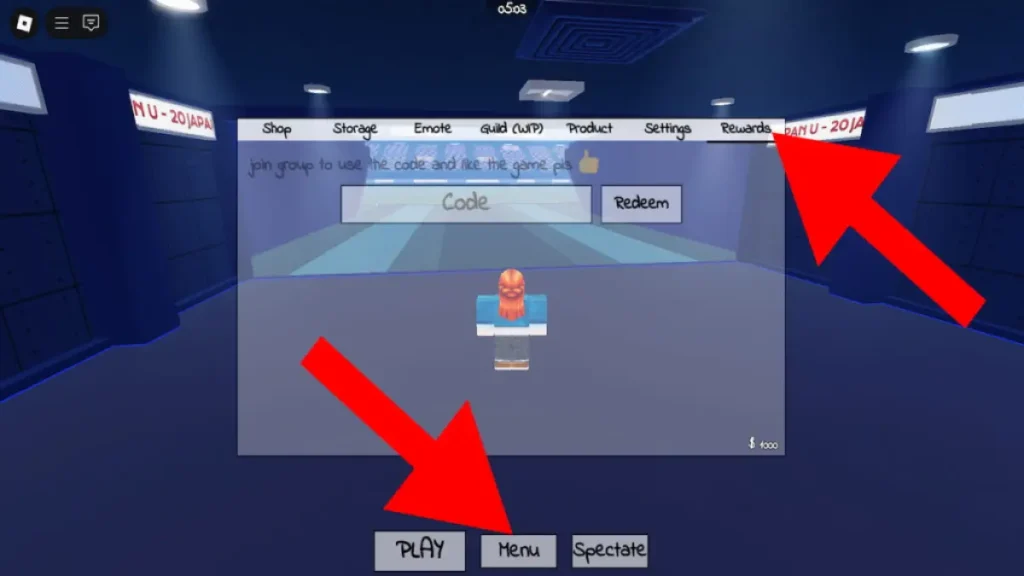
2. Then, in the top tab, select the “Rewards” section.
3. Enter the code in the text field and click “Redeem”.
- I recommend paying attention to the TOP 10 best programs for recording video from the screen in Windows